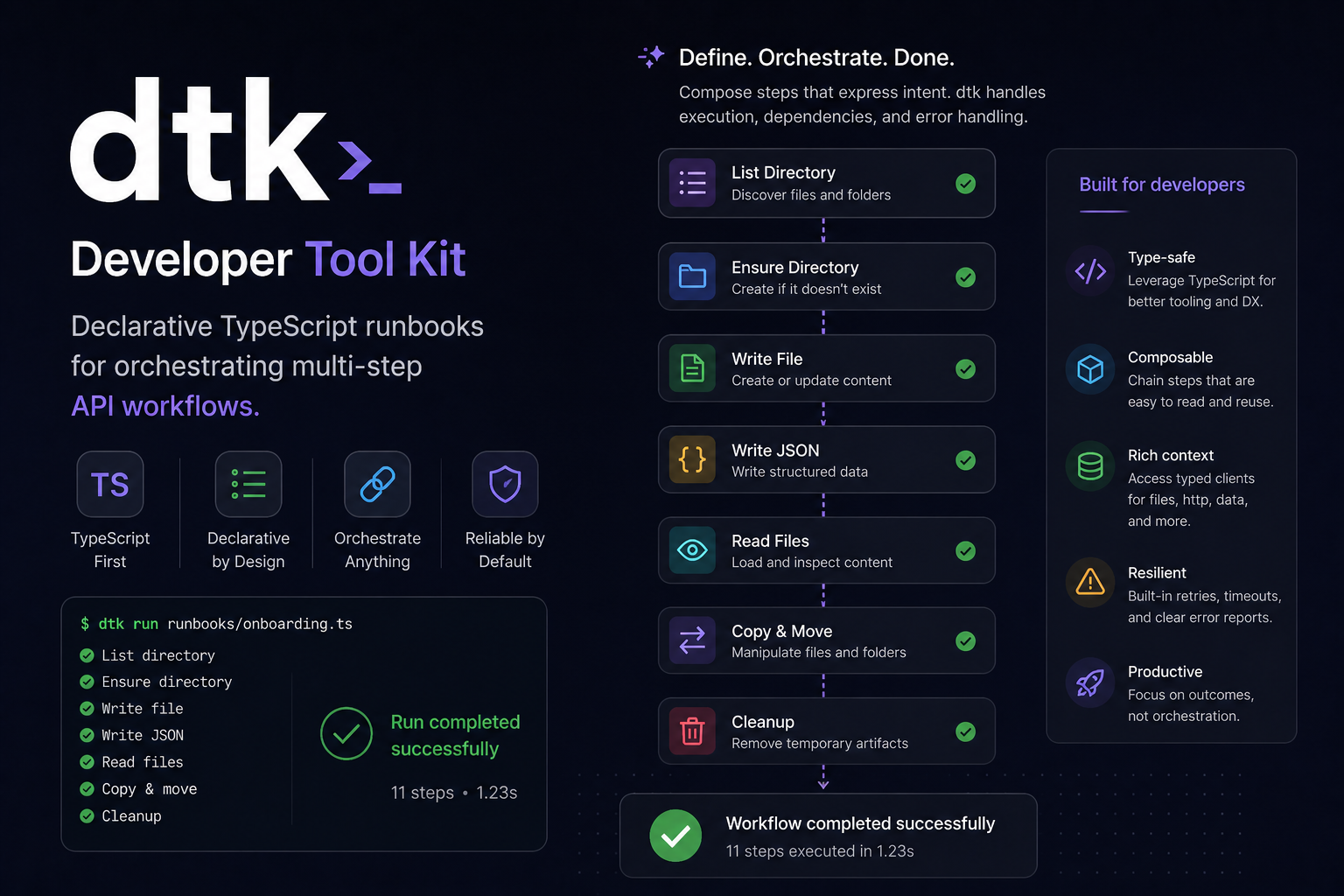
The Problem
Every developer has a folder of one-off scripts. A Python file that exports some records. A Node script that migrates a value across two systems. A shell script that prods an API and dumps the result. They do the job but they accumulate, each slightly different in structure, each requiring you to remember how they work when you come back to them six months later.
The real problem is the setup cost. Authentication, retries, chaining data between steps, error handling, TypeScript types for API responses. You either invest in all that upfront or you write something sloppy and move on. Most of the time it’s the latter.
I wanted something that removed that friction. A tool that scaffolds a properly structured TypeScript project, gives you auth and HTTP out of the box, and makes it simple to wire in AWS services or an AI API without starting from scratch every time.
That’s what DTK is.
What DTK Is
DTK is a CLI that scaffolds a self-contained TypeScript project for writing runbooks. A runbook in this context is a multi-step workflow written with a fluent builder API.
await suite()
  .dynamo({ region: process.env.AWS_REGION! })
  .step("fetch-records", async (ctx) => {
    const result = await ctx.services.dynamo.queryItems(process.env.TABLE_NAME!, {
      KeyConditionExpression: "entity = :e",
      ExpressionAttributeValues: { ":e": { S: "Product" } },
    });
    return result;
  })
  .step("process-records", async (ctx) => {
    const { items } = ctx.outputs["fetch-records"] as { items: Record<string, unknown>[] };
    // do something with items
  })
  .run("throwOnError");
Each step receives a context object (ctx) with:
ctx.outputs: return values from all previous stepsctx.http: an HTTP client with built-in retry logicctx.auth: helpers for OAuth 2.0, Basic auth, and Bearer tokensctx.file: file system operations (read, write, copy, move, list)ctx.services: any service plugins you’ve added (DynamoDB, SQS, SNS, S3, OpenAI)
One thing worth saying clearly: the generated project has zero runtime dependency on DTK. Once you’ve scaffolded and added your plugins, you’re done with DTK. You own all the files. Extend them, delete them, ignore DTK entirely. It’s a scaffolder, not a framework you’re stuck with.
Why / What is a runbook
Think of it as a practical “playbook” that tells you exactly what to do for a specific scenario. I’m sure you’ve come across them if you interact with support teams but they are typically actionable. A set of clear instructions with an expected outcome.
If a server went down you may say:
- Check server health dashboard
- SSH into the machine
- Restart the service using a specific command
- Verify logs for errors
- If still failing, escalate to the on-call engineer
DTK does that automated.
DTK vs Online Automation Tools
Tools like Zapier, Make, and n8n get mentioned any time someone says “I need to automate something”. They have their place, but they’re not the same category of tool.
Online automation platforms are built around connectors and triggers. They’re great when the thing you’re connecting to already has a connector, when a non-technical person needs to own the workflow, or when you want something running without writing a line of code. They charge for usage, store your credentials on their infrastructure, and give you limited control over error handling and data transforms. The workflow lives in their system, not yours.
DTK is for developers who want to write code. The workflow is TypeScript source sitting in your repo. It runs locally or in CI, not on someone else’s server. There’s no subscription, no per-run pricing, no connector catalogue to search. You call any API you can write an HTTP request to. You write the logic. You handle errors how you want. You can commit, diff, and review changes to workflows the same way you do everything else.
They’re different tools for different situations. If a product manager needs to wire up a Slack notification when a row changes in Airtable, DTK is the wrong choice. If you need to script a workflow that touches DynamoDB, calls an external API, and pushes a message to SQS, Zapier is the wrong choice. If you need to share a set of scripts across teams, support and dev teams, without a ton of domain knowledge then DTK is your weapon of choice. DTK is a developer tool, full stop.
Iteration speed is also different.
Adding a step to a runbook is adding a .step(...) call.
Debugging is reading the console.
Sharing a runbook with the team is a PR.
Getting Started
Init
Install DTK globally:
npm install -g @jordanalec/dtk
Create a new project:
mkdir my-runbooks
cd my-runbooks
dtk init
This scaffolds a complete project: TypeScript config, an HTTP client, auth helpers,
file utilities, an example runbook, and a .env.template.
It runs npm install for you.
my-runbooks/
├── src/
│   ├── suite.ts           # The runner, wire plugins in here
│   ├── load-env.ts        # Loads .env then .env.local
│   ├── lib/               # HTTP, OAuth, auth, file helpers
│   ├── types/             # StepContext and plugin types
│   └── runbooks/
│       └── example.ts     # A working runbook (GitHub user fetch)
├── .env.template
├── tsconfig.json
└── package.json
Run the example immediately:
cp .env.template .env
npm run runbook:example
Output:
[OK] fetch-github-user
login: torvalds
name: Linus Torvalds
Adding Plugins
Available plugins:
dtk add aws-dynamo
dtk add aws-sqs
dtk add aws-sns
dtk add aws-s3
dtk add open-ai
Each command copies the service implementation and types into your project,
injects the service into suite.ts and types/suite.ts,
appends any required env vars to .env.template,
drops an example runbook,
and installs the relevant npm package.
Running it twice is safe, the injection is idempotent.
After dtk add aws-dynamo:
  created  src/services/dynamo.ts
  created  src/types/aws-dynamo.ts
  patched  src/suite.ts
  patched  src/types/suite.ts
  updated  .env.template

Plugin "aws-dynamo" added.
Installing dependencies: npm install @aws-sdk/client-dynamo-db@^3.300.0
You now have a dynamo() builder method on suite() and the service available on ctx.services.dynamo.
Fill in the env vars and you’re done.
The plugin files are yours.
If the default DynamoDB service doesn’t have a method you need, open src/services/dynamo.ts and add it.
Customisation
Environment variables
Copy .env.template to .env and fill in your values.
A .env.local file can override specific vars without touching .env,
which is useful when different team members have different credentials locally.
cp .env.template .env
# fill in values
# optionally: cp .env.template .env.local and override per-machine
HTTP retry
The HTTP client accepts a retry config on any request:
const data = await ctx.http.get<Product[]>("https://api.example.com/products", {
  headers: { Authorization: `Bearer ${token}` },
  retry: {
    attempts: 4,
    backoff: "exponential",
    delayMs: 500,
    maxDelayMs: 8000,
    retryOn: (err) =>
      axios.isAxiosError(err) && [429, 503].includes(err.response?.status ?? 0),
  },
});
Custom services
If you need a service DTK doesn’t have a plugin for, the pattern is straightforward.
Create src/services/my-service.ts,
wire it into suite.ts and src/types/suite.ts using the same sentinel comment pattern the plugins use,
and it’s available on ctx.services with full TypeScript types.
The GUIDE.md generated with your project walks through this step by step.
Better yet, why not contribute and raise a PR so others can benefit!
A Complex Runbook
A realistic example using DynamoDB, S3, OpenAI, and SQS together. The job finds products missing descriptions, generates them with GPT, saves them back to DynamoDB, uploads a CSV report to S3, and posts a summary to SQS.
dtk add aws-dynamo
dtk add aws-s3
dtk add open-ai
dtk add aws-sqs
import "../../load-env.js";
import { suite } from "../../suite.js";

const TABLE = process.env.DYNAMO_TABLE_NAME!;
const BUCKET = process.env.S3_BUCKET_NAME!;
const QUEUE = process.env.SQS_QUEUE_URL!;

await suite()
  .dynamo({ region: process.env.AWS_REGION! })
  .s3({ region: process.env.AWS_REGION! })
  .openAi({ apiKey: process.env.OPENAI_API_KEY! })
  .sqs({ region: process.env.AWS_REGION! })
  .step("fetch-products-without-descriptions", async (ctx) => {
    const result = await ctx.services.dynamo.queryItems(TABLE, {
      IndexName: "EntityIndex",
      KeyConditionExpression: "entity = :e",
      ExpressionAttributeValues: { ":e": { S: "Product" } },
    });

    const missing = result.items.filter((p) => !p.description?.S);
    console.log(`Found ${missing.length} products without descriptions`);
    return missing;
  })
  .step("generate-descriptions", async (ctx) => {
    const products = ctx.outputs["fetch-products-without-descriptions"] as Record<string, any>[];
    const enriched: Array<{ code: string; name: string; description: string }> = [];

    for (const product of products) {
      const code = product.code?.S ?? "unknown";
      const name = product.name?.S ?? "Product";
      const category = product.category?.S ?? "general";

      const prompt = `Write a concise product description (2 sentences max) for a ${category} product named "${name}". Be factual and direct.`;

      const response = await ctx.services.openAi.sendResponse([
        { role: "user", content: prompt },
      ]);

      enriched.push({ code, name, description: response.output_text });
      console.log(`Generated description for ${code}`);
    }

    return enriched;
  })
  .step("save-descriptions-to-dynamo", async (ctx) => {
    const enriched = ctx.outputs["generate-descriptions"] as Array<{
      code: string;
      name: string;
      description: string;
    }>;

    let saved = 0;

    for (const item of enriched) {
      await ctx.services.dynamo.updateItem(
        TABLE,
        { pk: { S: `PRODUCT#${item.code}` }, sk: { S: "METADATA" } },
        {
          UpdateExpression: "SET description = :d, updatedAt = :u",
          ExpressionAttributeValues: {
            ":d": { S: item.description },
            ":u": { S: new Date().toISOString() },
          },
        }
      );
      saved++;
    }

    console.log(`Saved ${saved} descriptions to DynamoDB`);
    return { saved };
  })
  .step("upload-report-to-s3", async (ctx) => {
    const enriched = ctx.outputs["generate-descriptions"] as Array<{
      code: string;
      name: string;
      description: string;
    }>;

    const date = new Date().toISOString().split("T")[0];
    const lines = [
      "code,name,description",
      ...enriched.map(
        (p) => `${p.code},"${p.name}","${p.description.replace(/"/g, '""')}"`
      ),
    ];

    const csv = lines.join("\n");
    const key = `reports/description-enrichment/${date}.csv`;

    await ctx.services.s3.upload(BUCKET, key, csv, "text/csv");
    console.log(`Report uploaded to s3://${BUCKET}/${key}`);
    return { bucket: BUCKET, key };
  })
  .step("notify-via-sqs", async (ctx) => {
    const { saved } = ctx.outputs["save-descriptions-to-dynamo"] as { saved: number };
    const { key } = ctx.outputs["upload-report-to-s3"] as { key: string };

    const message = JSON.stringify({
      event: "DESCRIPTION_ENRICHMENT_COMPLETE",
      savedCount: saved,
      reportKey: key,
      timestamp: new Date().toISOString(),
    });

    await ctx.services.sqs.sendMessage(message);
    console.log("Completion message sent to SQS");
  })
  .run("throwOnError");
Running it:
npm run runbook:enrich-descriptions
Output:
Found 14 products without descriptions
Generated description for SKU-001
Generated description for SKU-002
...
Saved 14 descriptions to DynamoDB
Report uploaded to s3://my-bucket/reports/description-enrichment/2026-05-05.csv
Completion message sent to SQS
[OK] fetch-products-without-descriptions
[OK] generate-descriptions
[OK] save-descriptions-to-dynamo
[OK] upload-report-to-s3
[OK] notify-via-sqs
Data flows forward through ctx.outputs keyed by step name.
Each step only touches what it needs.
The notify step doesn’t know or care how many products were found or where the CSV landed;
it just pulls those values from the steps that produced them.
"throwOnError" stops at the first failure and throws.
"stopOnError" logs it and stops without throwing,
which is useful in CI if you want a clean exit code rather than a full stack trace.
The Source
The tool and all plugin templates are open source. If you use it or want to add a plugin, the repo is at DTK on GitHub.
At the time of writing it’s still in its infancy but I’m heavily using this personally and make adjustments as I use it.
Feel free to contribute, add a plugin, look at issues, etc.